


New article
Recently updated
Enabling modern workflow definition

Who is this article for?
Administrators looking to enable the modern workflow experience.
Administrator permissions are required.
You can now opt in to the new modern workflow experience, designed to enhance your workflow and productivity.
This article shows you where you can enable the modern workflow definition and grant the right permissions to your users.
1. Enabling modern experience
To enable the modern experience:
- Open the Administration module.
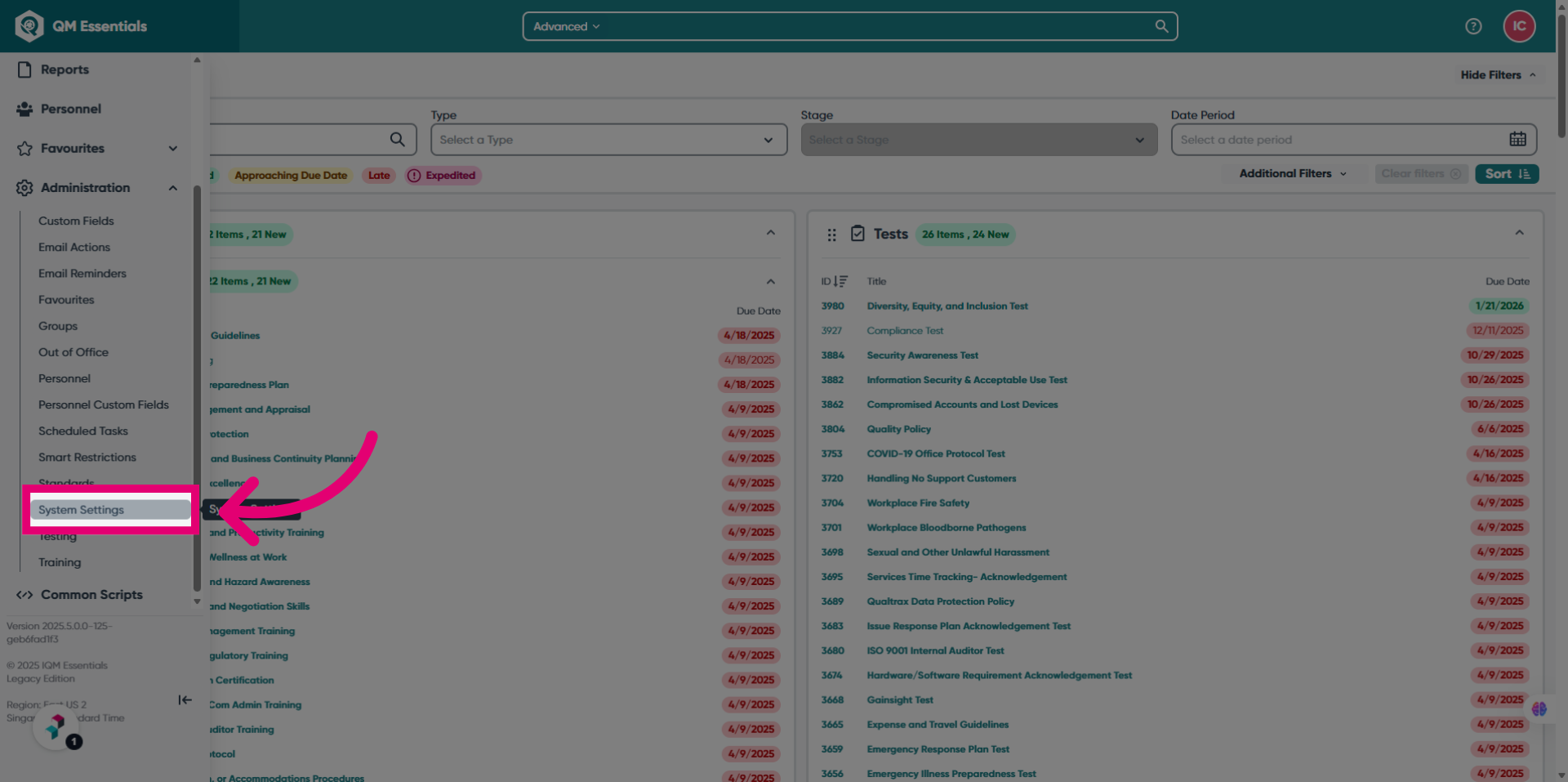
- Select System Settings.
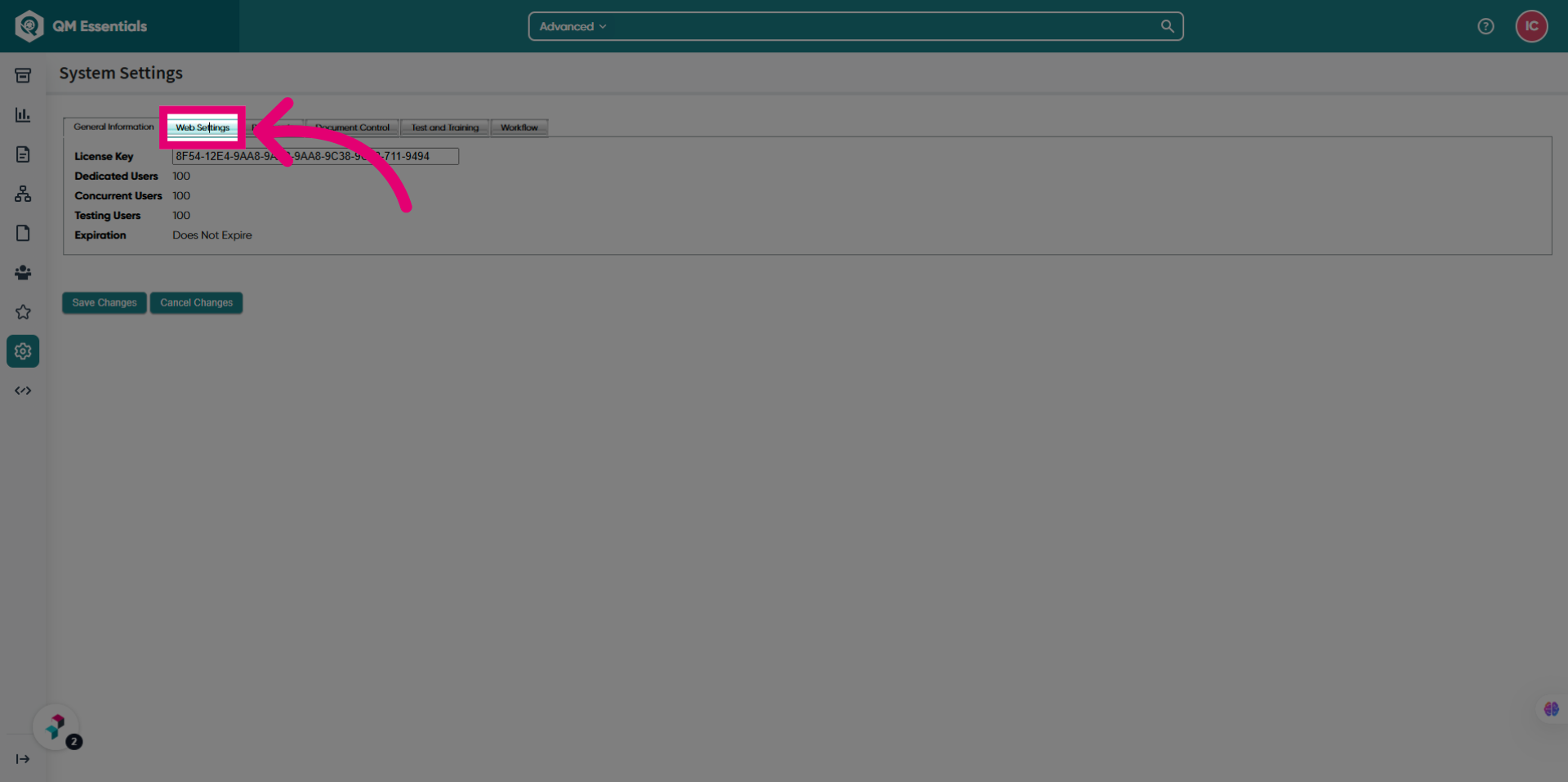
- Switch to the Web Settings tab.
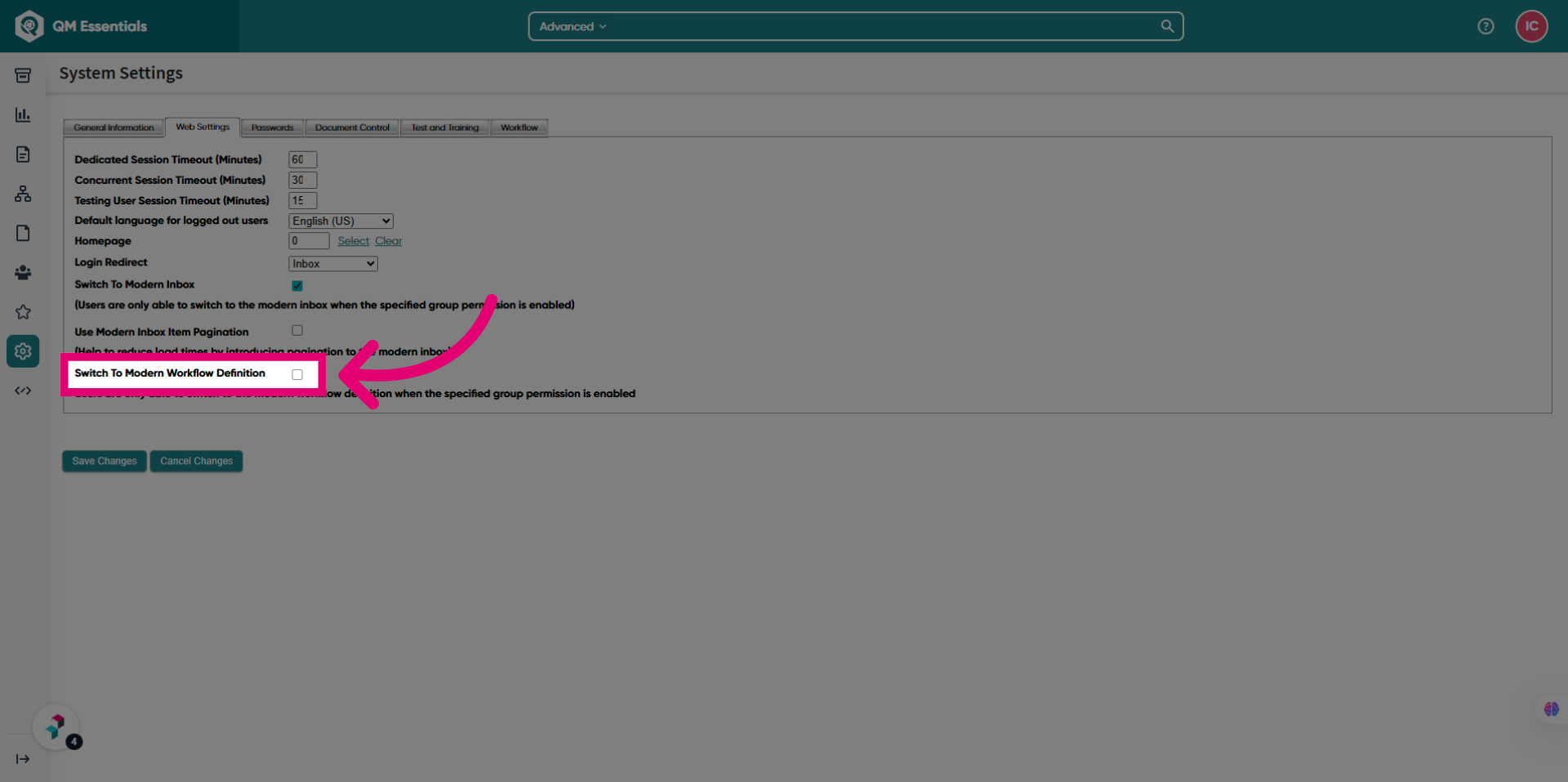
- Tick the Switch To Modern Workflow Definition box.
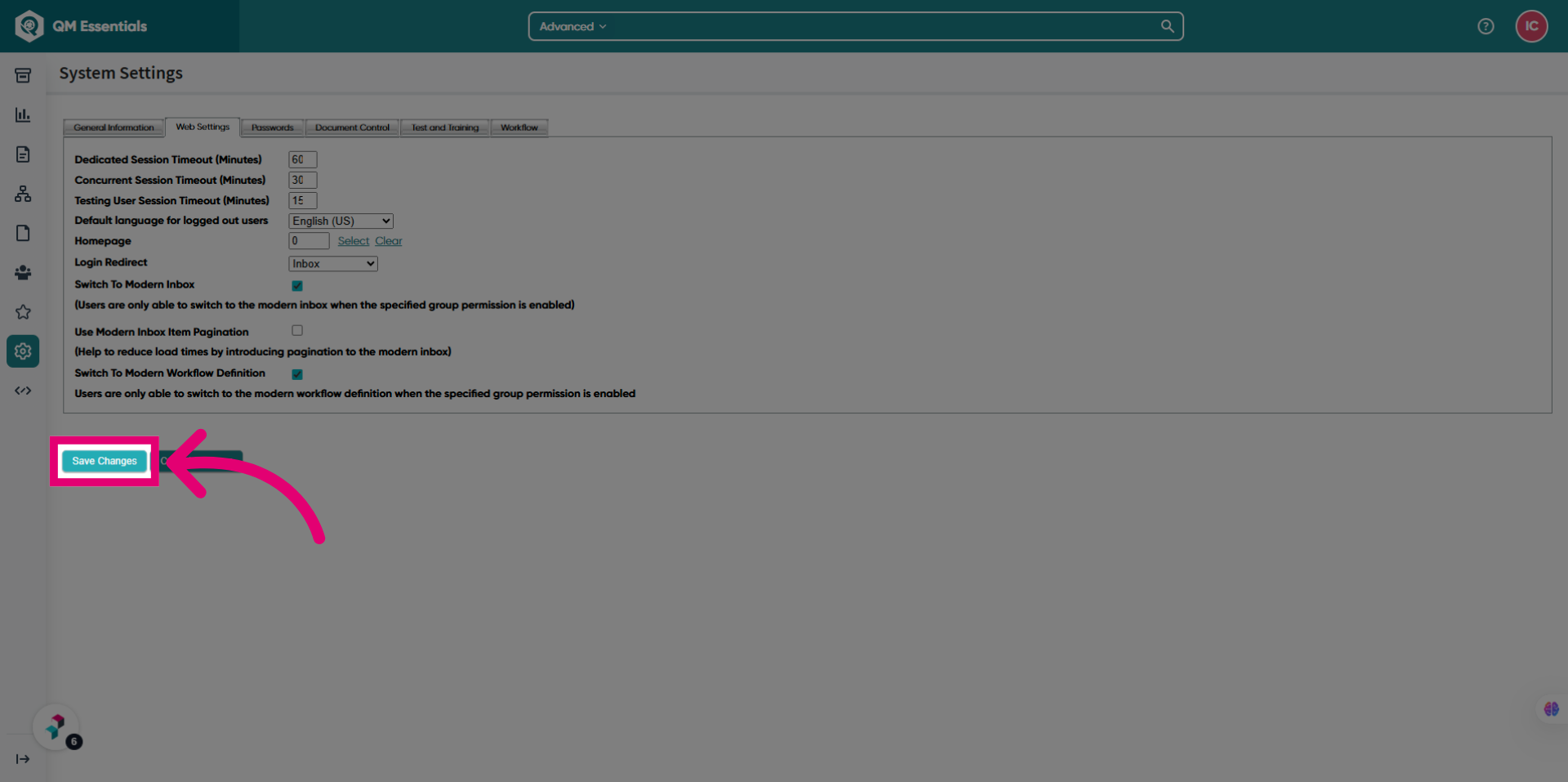
- Click Save Changes.
After enabling the setting, you need to grant access to view the modern workflow definition.
2. Granting permissions
You can grant permissions to access the modern experience on a group or individual basis.
2.1. Group
To grant permissions:
- Open the Administration module.
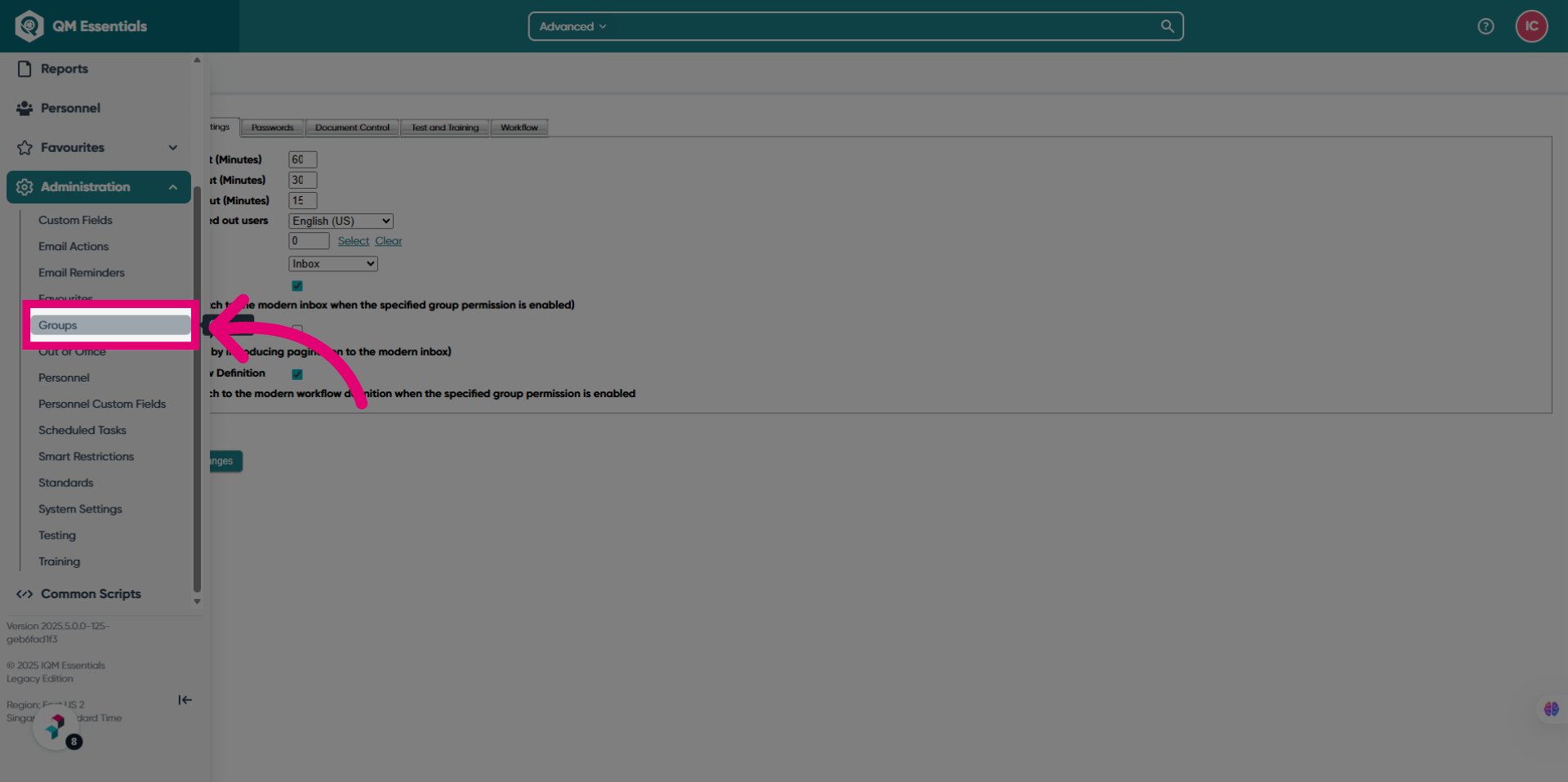
- Select Groups.
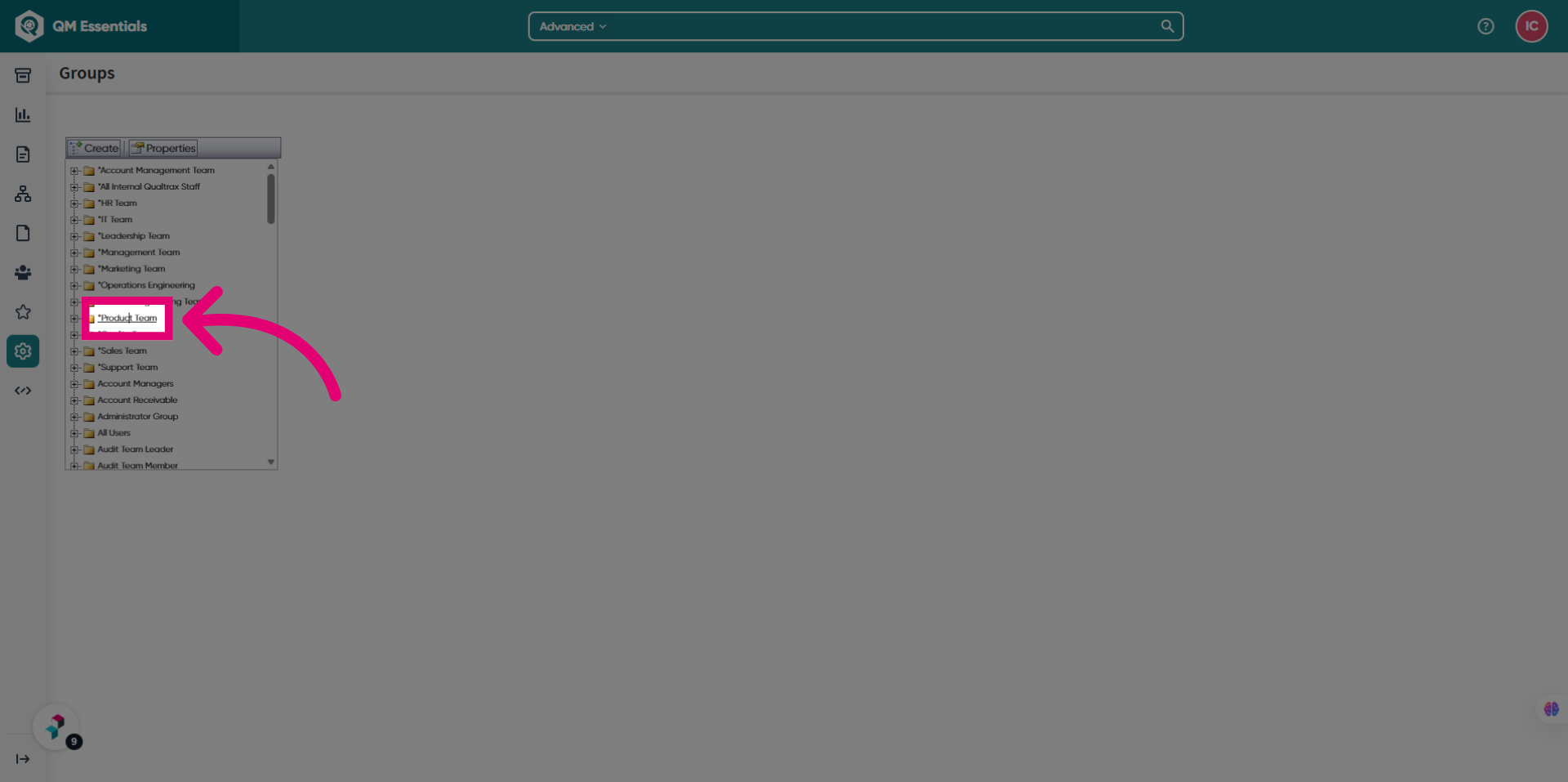
- Open a group you want to give access to.
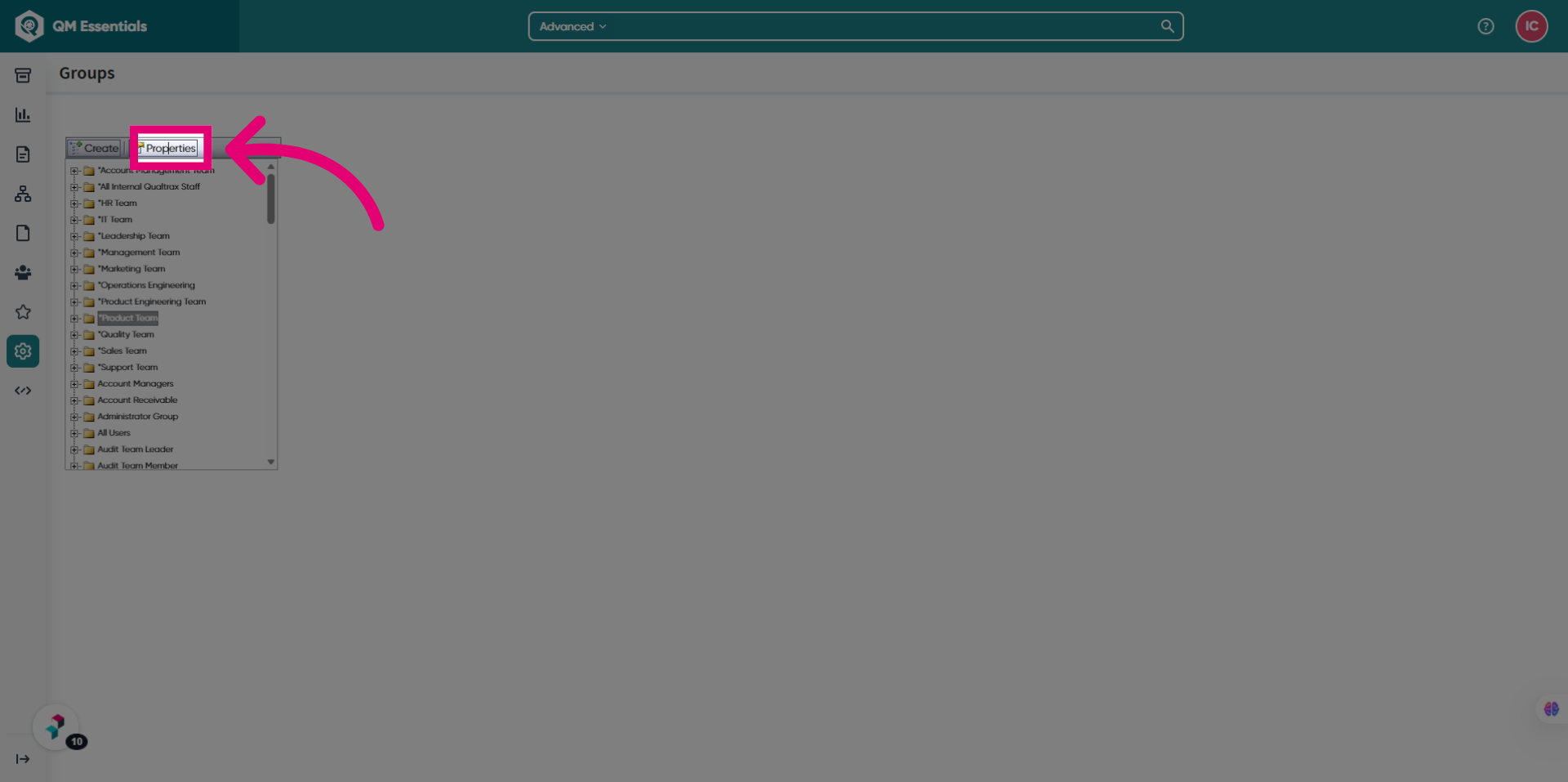
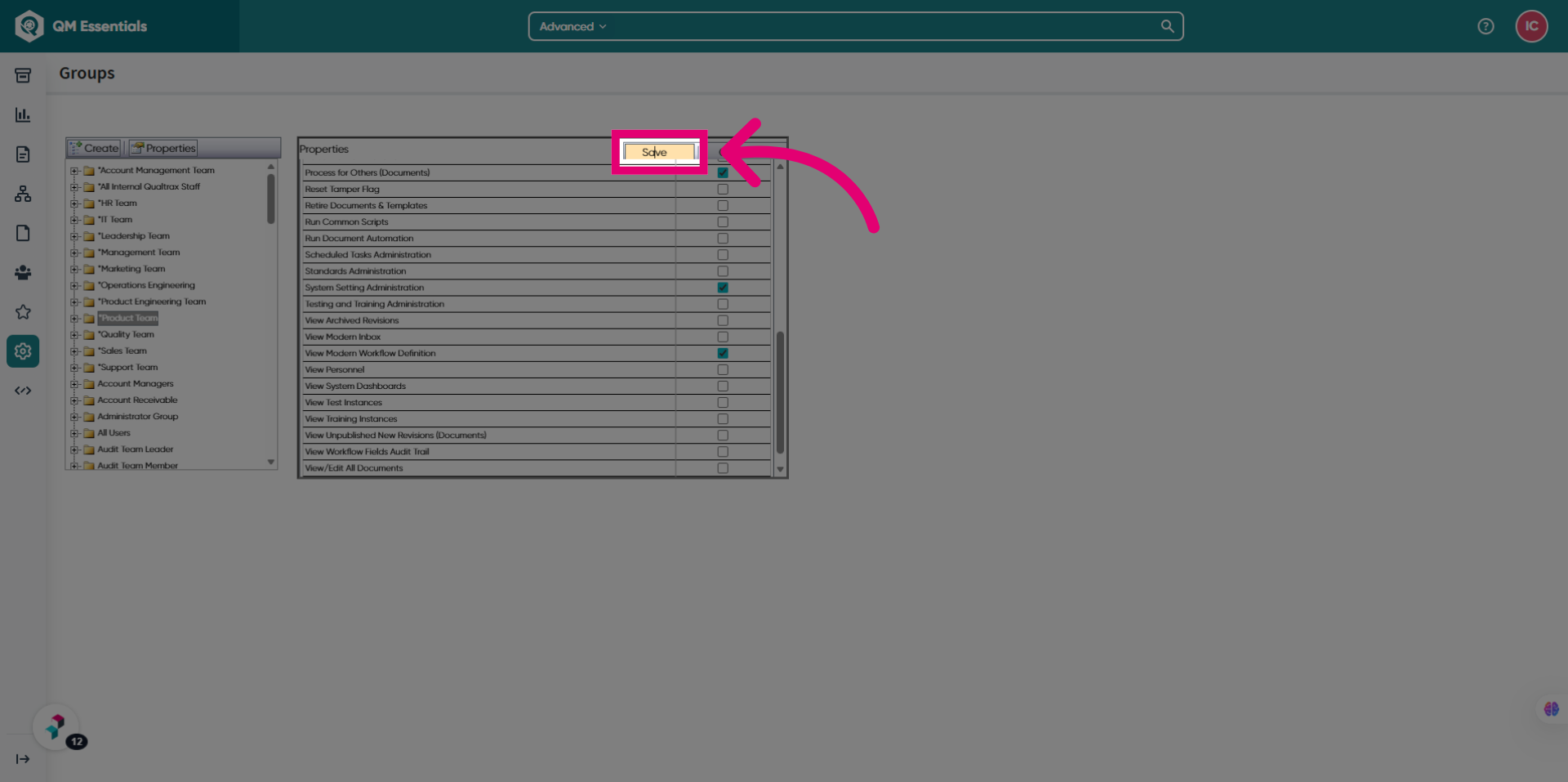
- Click Properties.
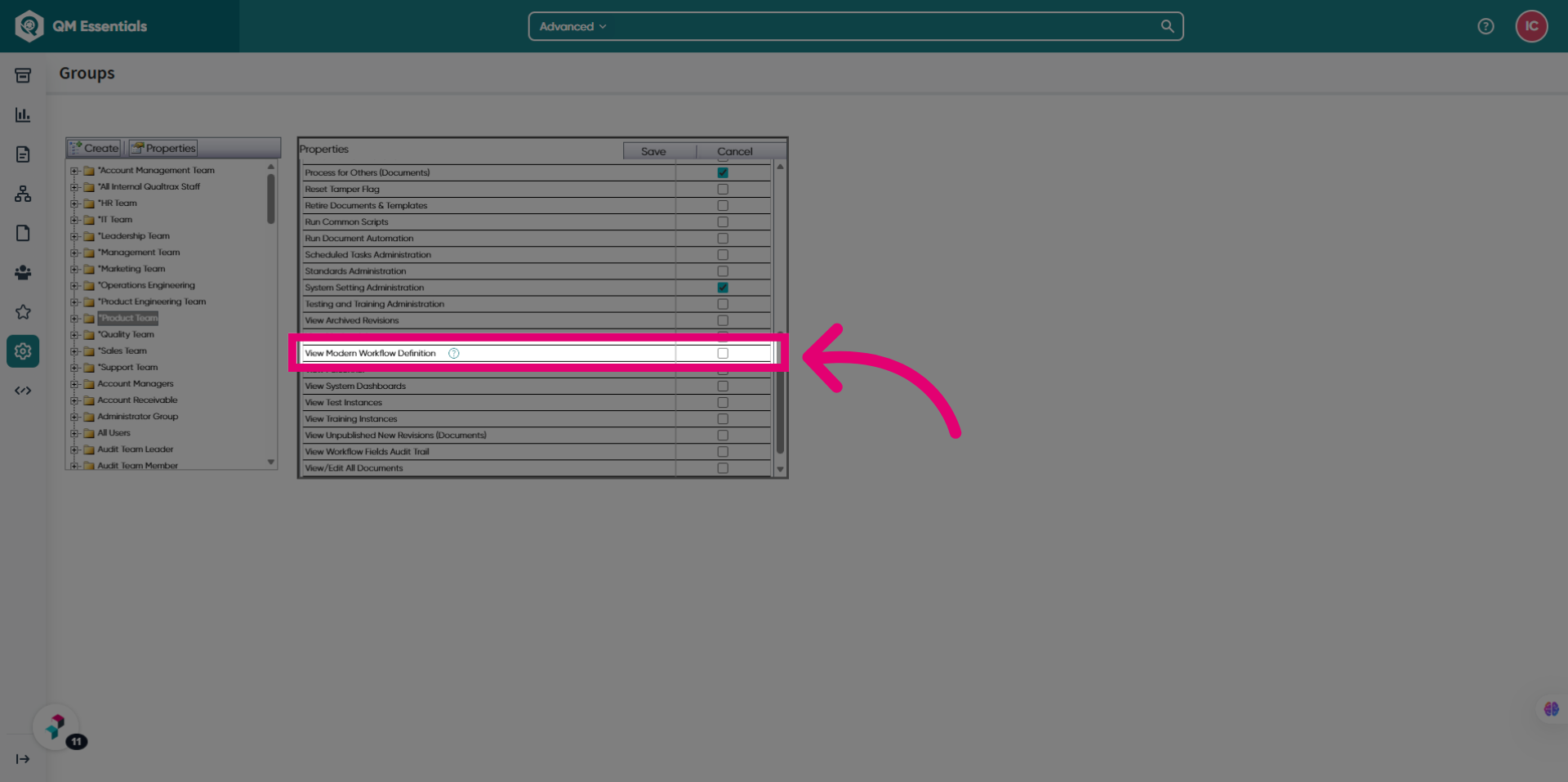
- Tick View Modern Workflow Definition.
- Click Save.
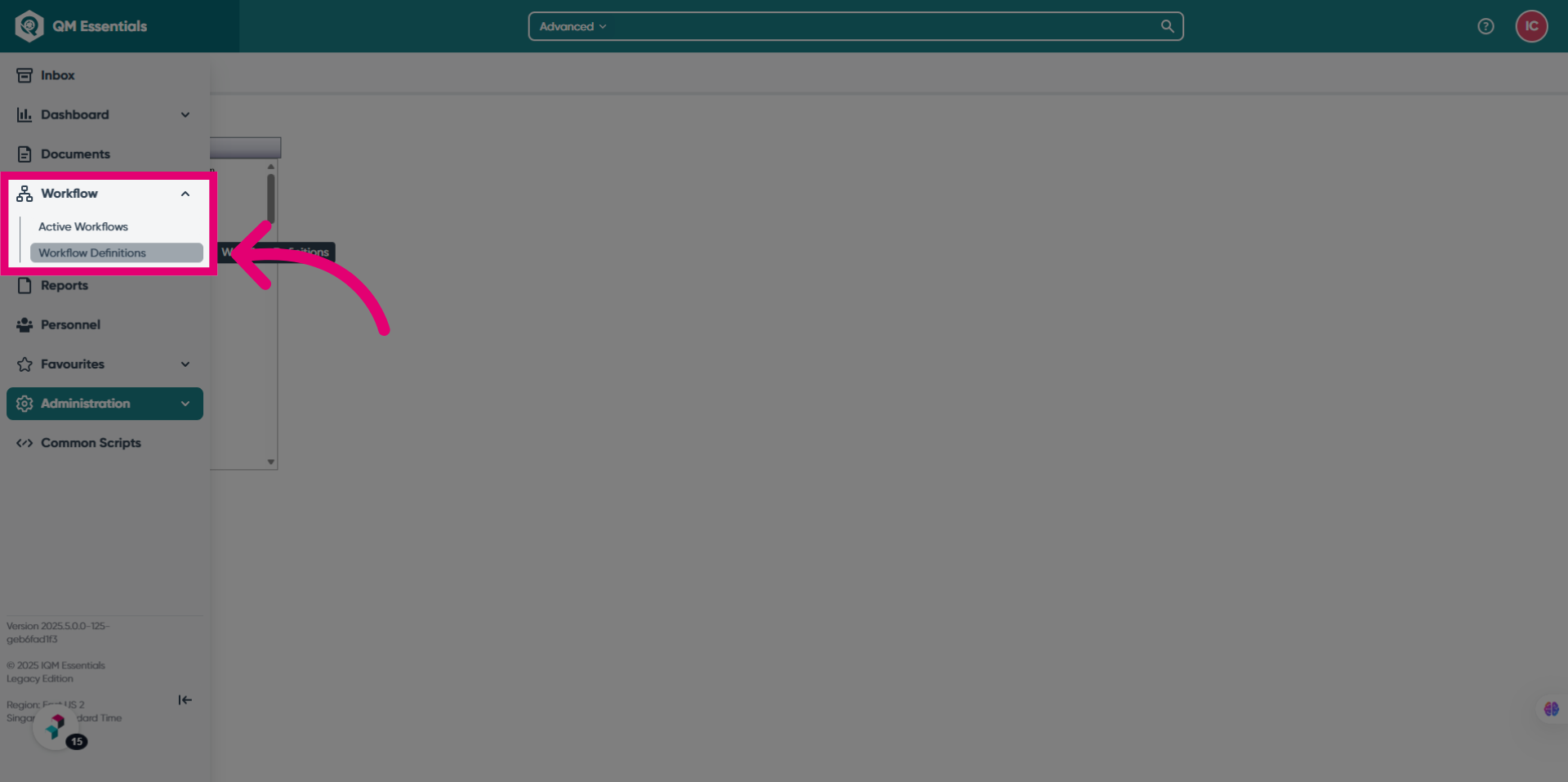
Users in these groups will now have access to the Workflow Definition option under Workflows.
2.2. Personnel
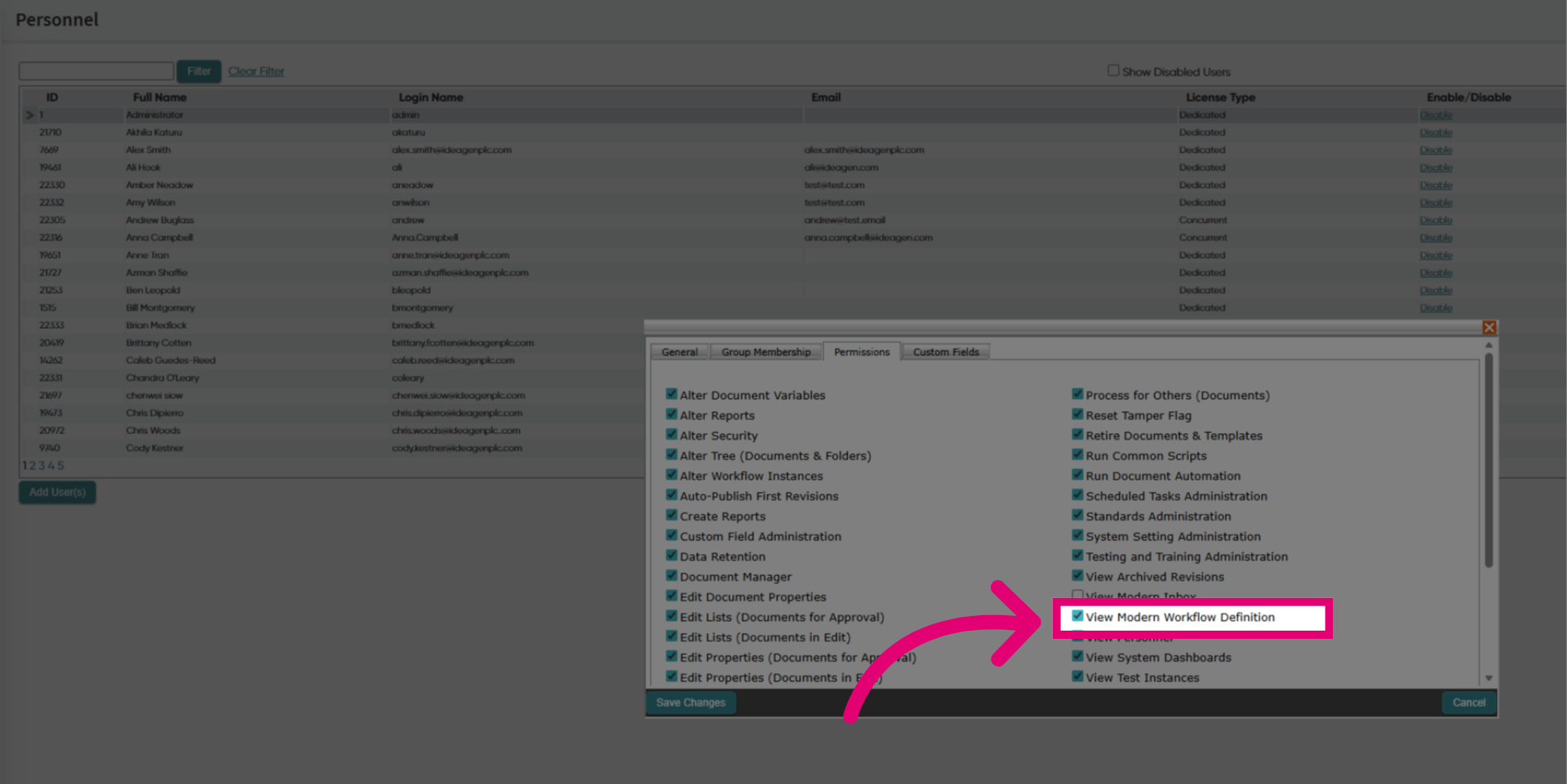
To grant permissions:
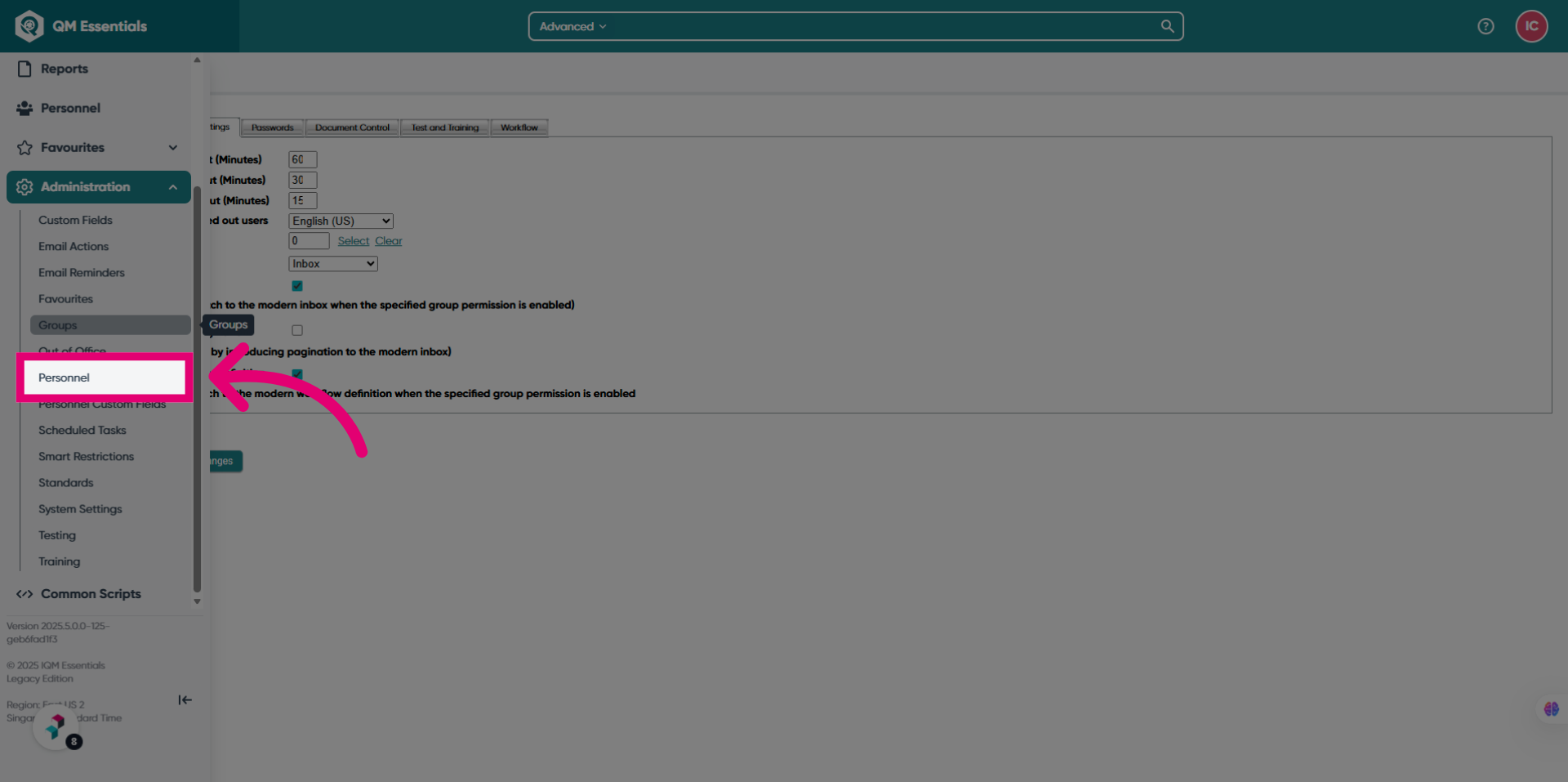
- Open the Administration module.
- Select Personnel.
- Open the user you want to grant access to.
- Click Permissions.
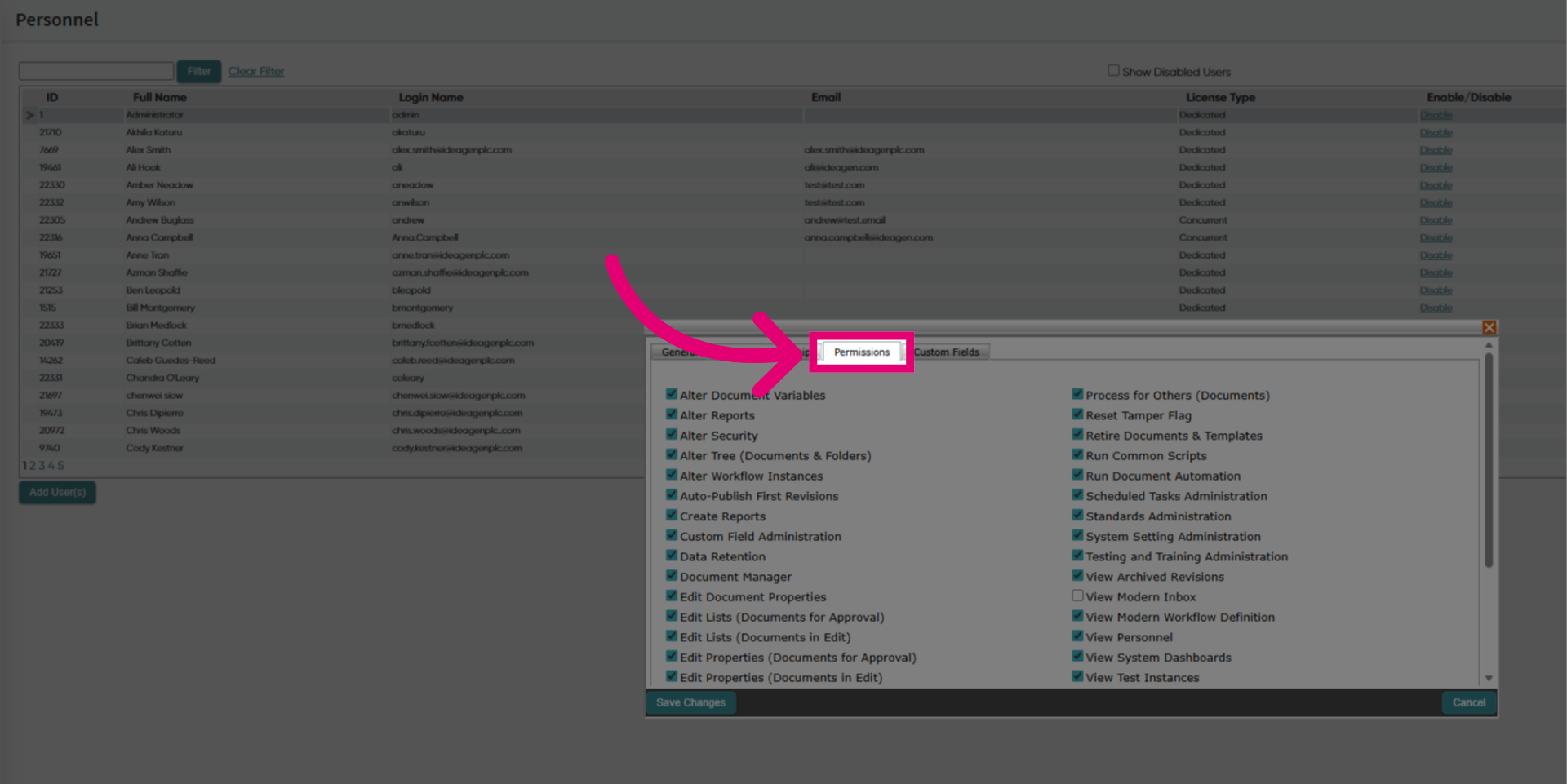
- Tick View Modern Workflow Definition.
- Click Save Changes.
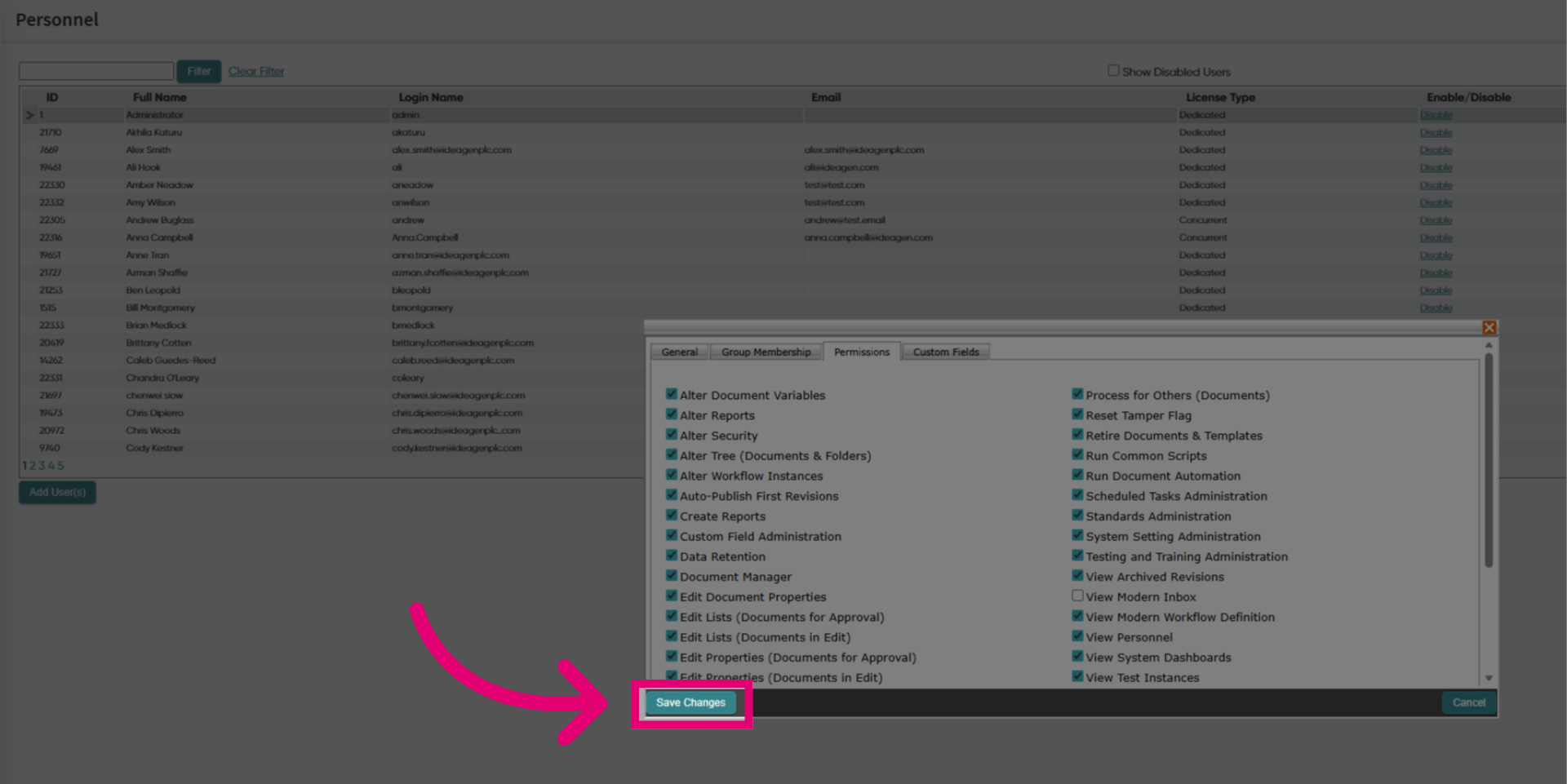
Users will now have access to the Workflow Definition option under Workflows.